Prioritized ticket queues
Filter by owner, department, category, priority, customer replies, and SLA pressure.
Customer support operations workspace
A focused helpdesk for teams that need ticket triage, support email routing, customer context, SLA visibility, and reporting in one calm workspace.
Built for support teams
Phantom CX connects ticket work, customer records, support mailboxes, team queues, and operational reporting so agents and admins can work from the same source of truth.
Filter by owner, department, category, priority, customer replies, and SLA pressure.
Route configured support mailboxes into queues and keep email replies tied to the ticket.
Link tickets to companies and contacts so each request carries useful customer history.
Track target response windows, breached work, closed work, and daily team momentum.
Send customer replies, use canned responses, add internal notes, and close tickets cleanly.
Configure ticket states, departments, categories, queues, routing, email, footers, and users.
Operating rhythm
Create tickets manually or from inbound support mailboxes with requester details attached.
Use departments, queues, routing rules, and ownership to place work where it belongs.
Reply to customers from the ticket, keep internal notes separate, and reuse approved responses.
Review workload, response activity, resolution performance, and SLA health.
Real product views
The product experience is intentionally quiet: dense enough for repeated work, clear enough for agents and admins to find what matters.
Dashboard
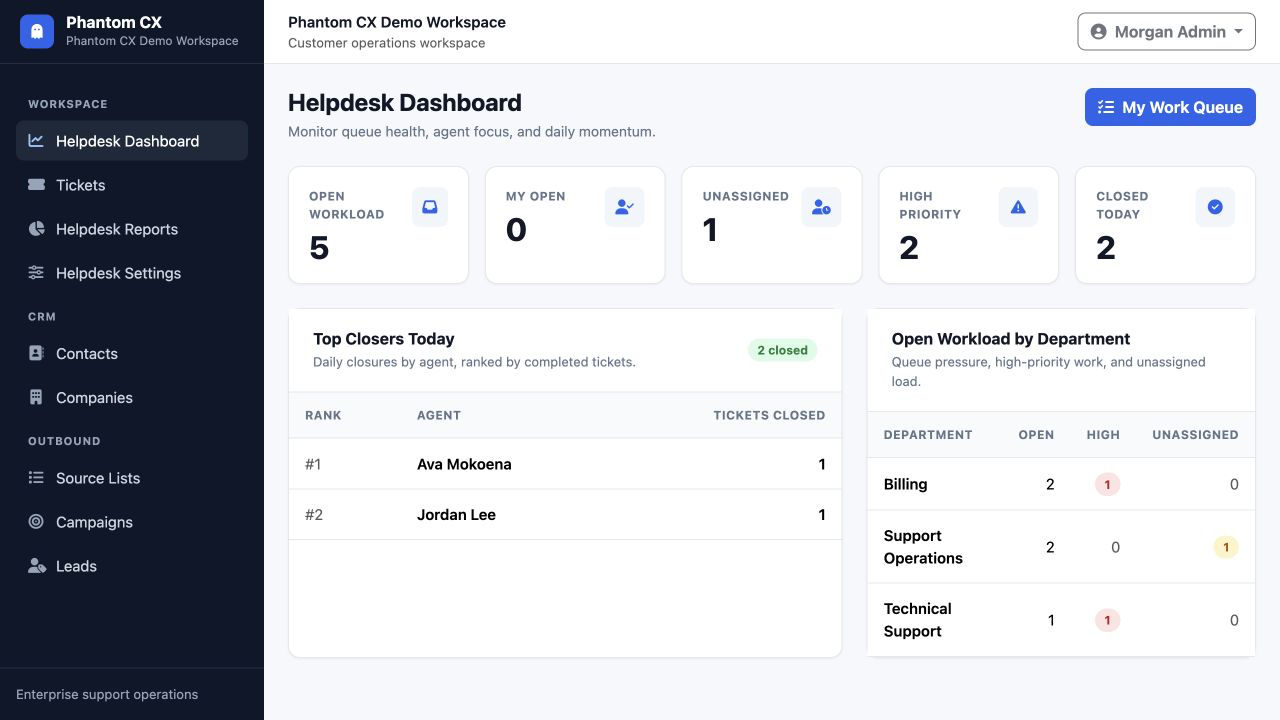
Admins can see open workload, unassigned work, high-priority tickets, closed tickets, top closers, and department pressure from one view.
Tickets
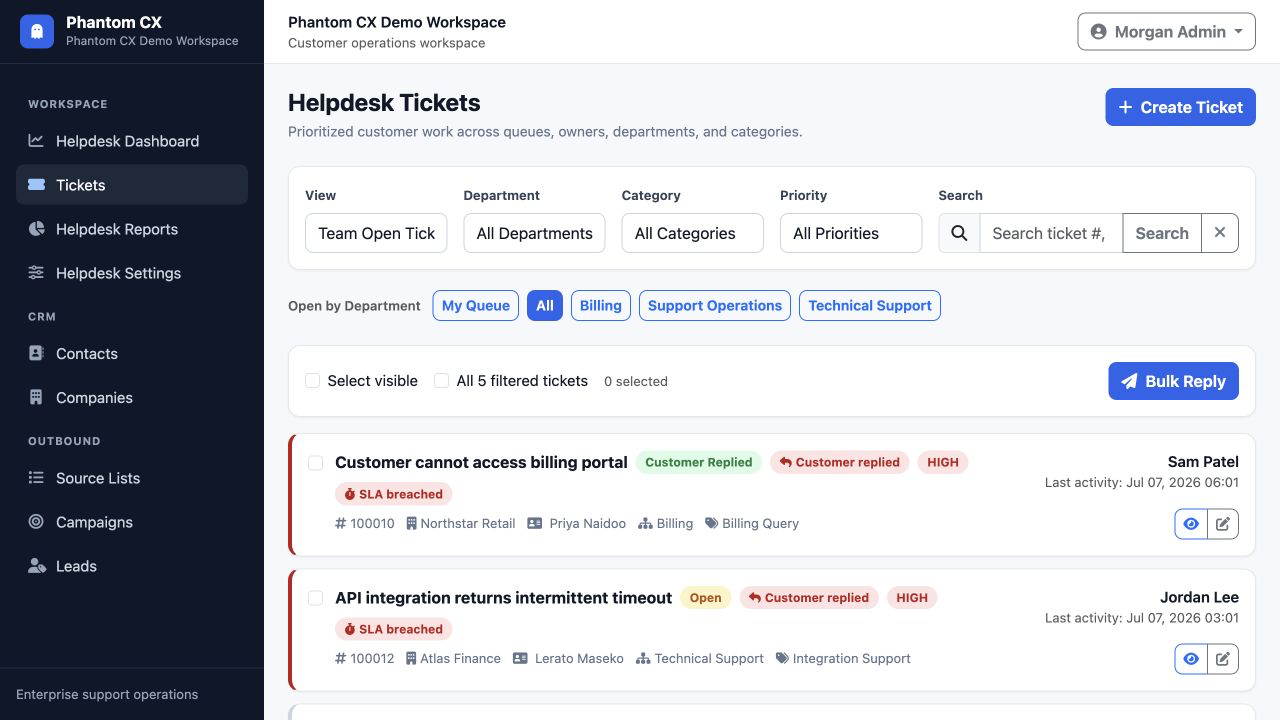
Agents can scan state, customer, department, category, priority, SLA status, and ownership.
Reports
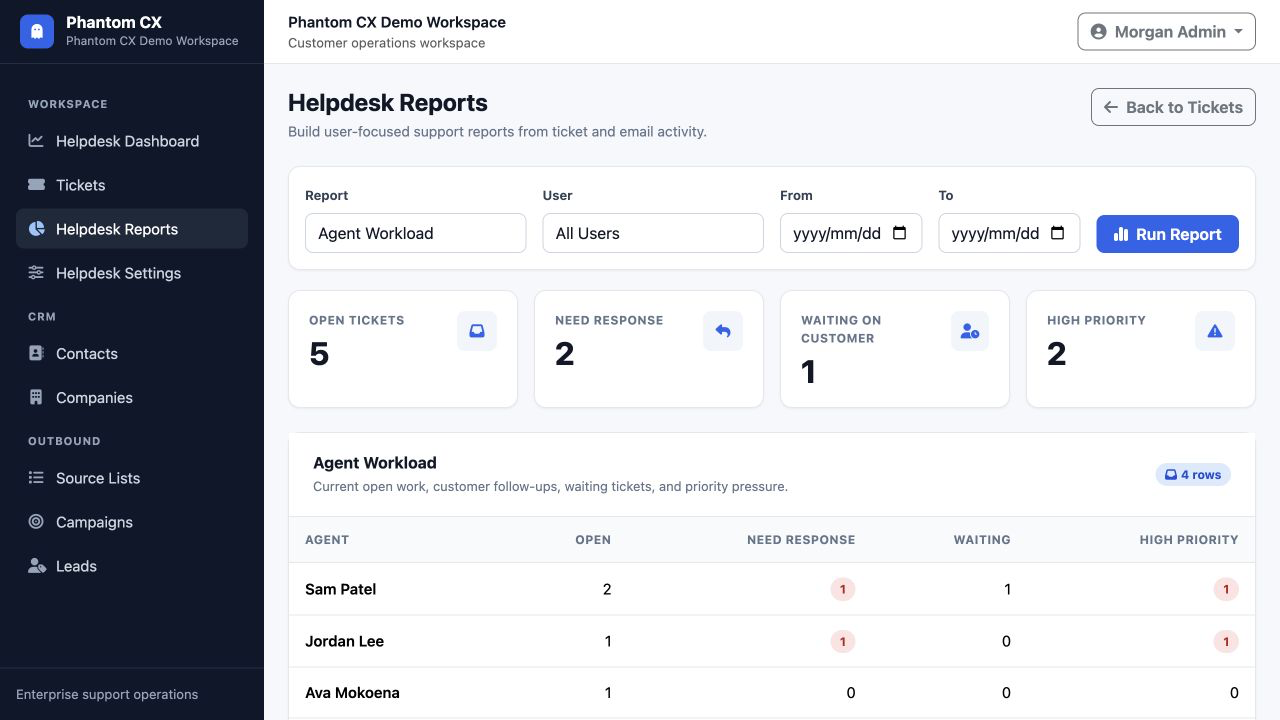
Leaders can review workload, follow-ups, waiting tickets, priority pressure, and SLA health.
Admin-ready
Phantom CX gives admins the configuration screens they need before the first ticket arrives, then keeps agents focused on customer work.
Contact
Reach out for product support, sales questions, feature requests, onboarding guidance, or anything you need clarified before bringing Phantom CX into your support operation.
Email us
We keep the address hidden until requested to reduce automated scraping. Once revealed, click the email address to open your mail client.
Your message will be routed to the right person for support, sales, or product feedback.
Ready for a cleaner support desk?